Themes
A NodeCraft theme restyles the whole graph as one set: node shapes and surfaces, pin icons, wires, comment boxes and the backdrop behind the graph.
Pick a theme from the Themes section of the NodeCraft dropdown. Blueprint and Material graphs each have their own active theme.
At a glance
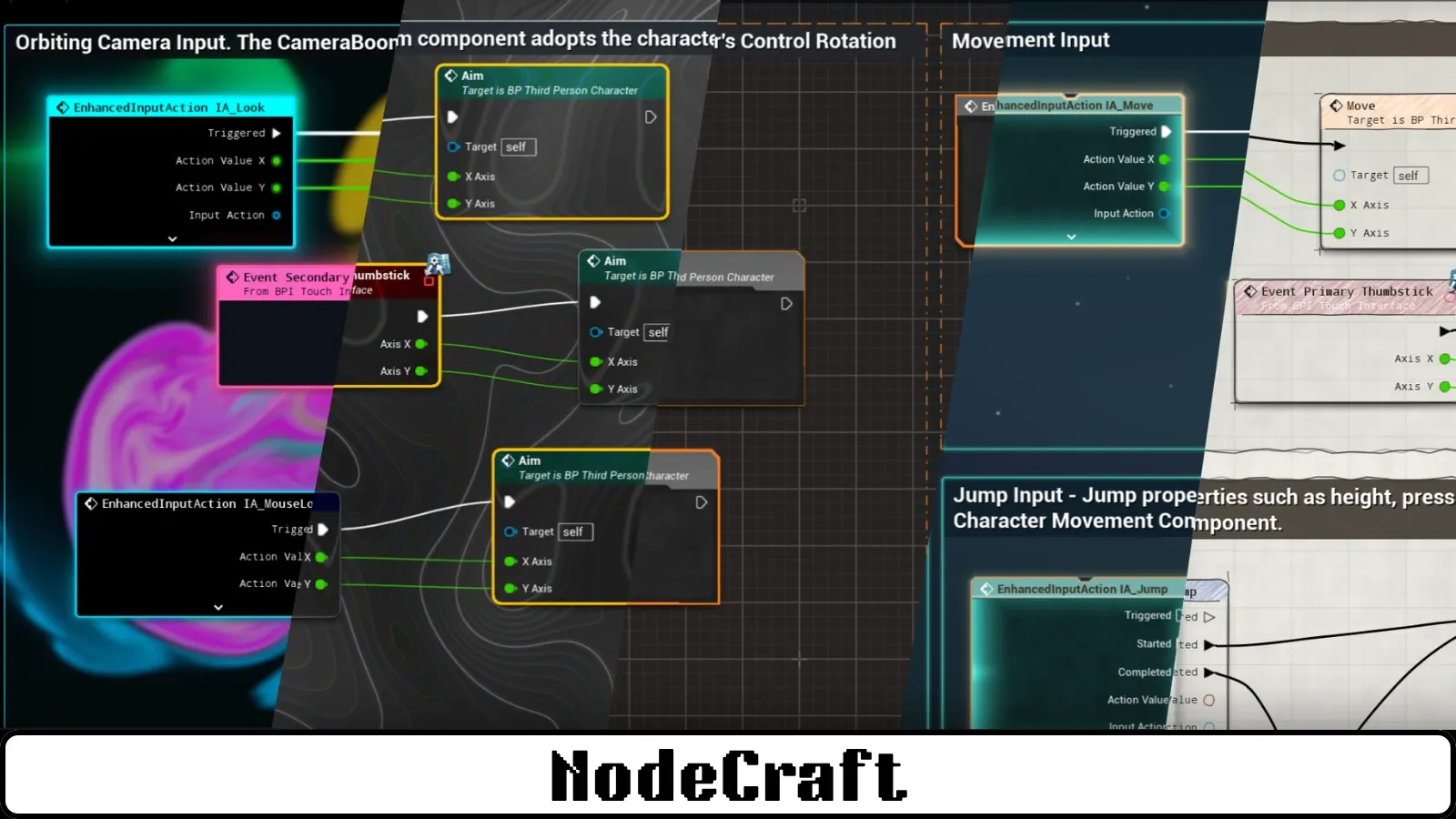
Section titled “At a glance”| Theme | Feel | Routing | Backdrop |
|---|---|---|---|
| Neon | Dark and glowing | Subway | Live fluid simulation |
| Liquid Glass | Glassy and modern | Subway | Contour lines |
| Command | Precise and technical | Subway | Drafting grid |
| Aetherial | Calm and atmospheric | Manhattan (Blueprints), Subway (materials) | Animated starfield |
| Atelier | Hand-drawn | Sketch | Paper grain |
| Midnight | Flat black, Unreal’s shapes | Subway | Quiet grain |
| Fairy Dust | Soft and playful | Subway | Polka dots |
| Custom | Unreal’s nodes, your colours | Default | Unreal’s grid, recoloured |
| UE_Default | Unreal’s standard look | Default | Unreal’s standard grid |
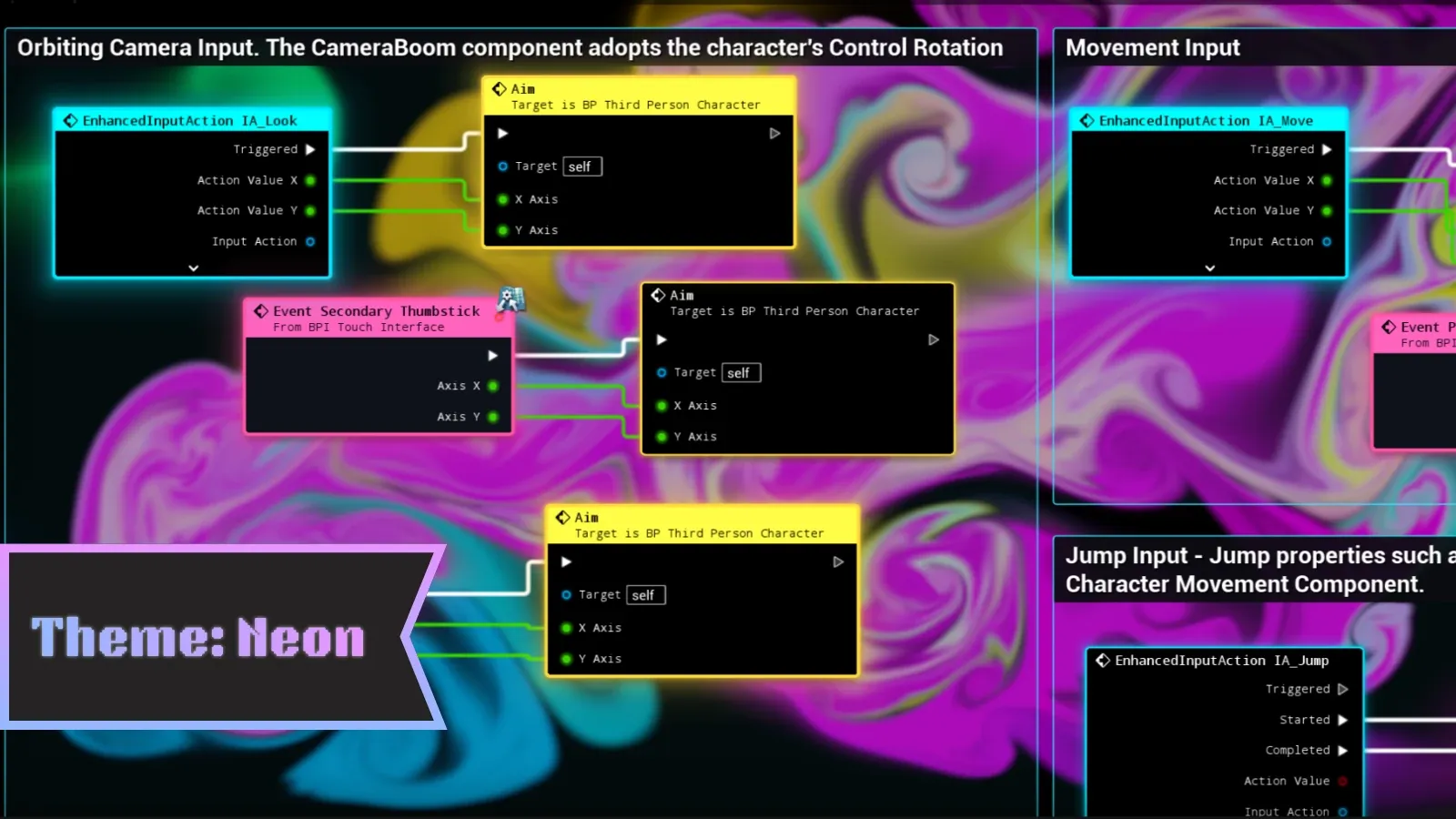
Dark, saturated and glowing. The backdrop is a live fluid simulation that swirls when you open a graph and ripples as you move nodes through it. Node borders and wires glow in each node’s colour, and selected nodes light up like buttons.
- Routing: Subway
- Best for: a bold, energetic look, and screenshots
Liquid Glass
Section titled “Liquid Glass”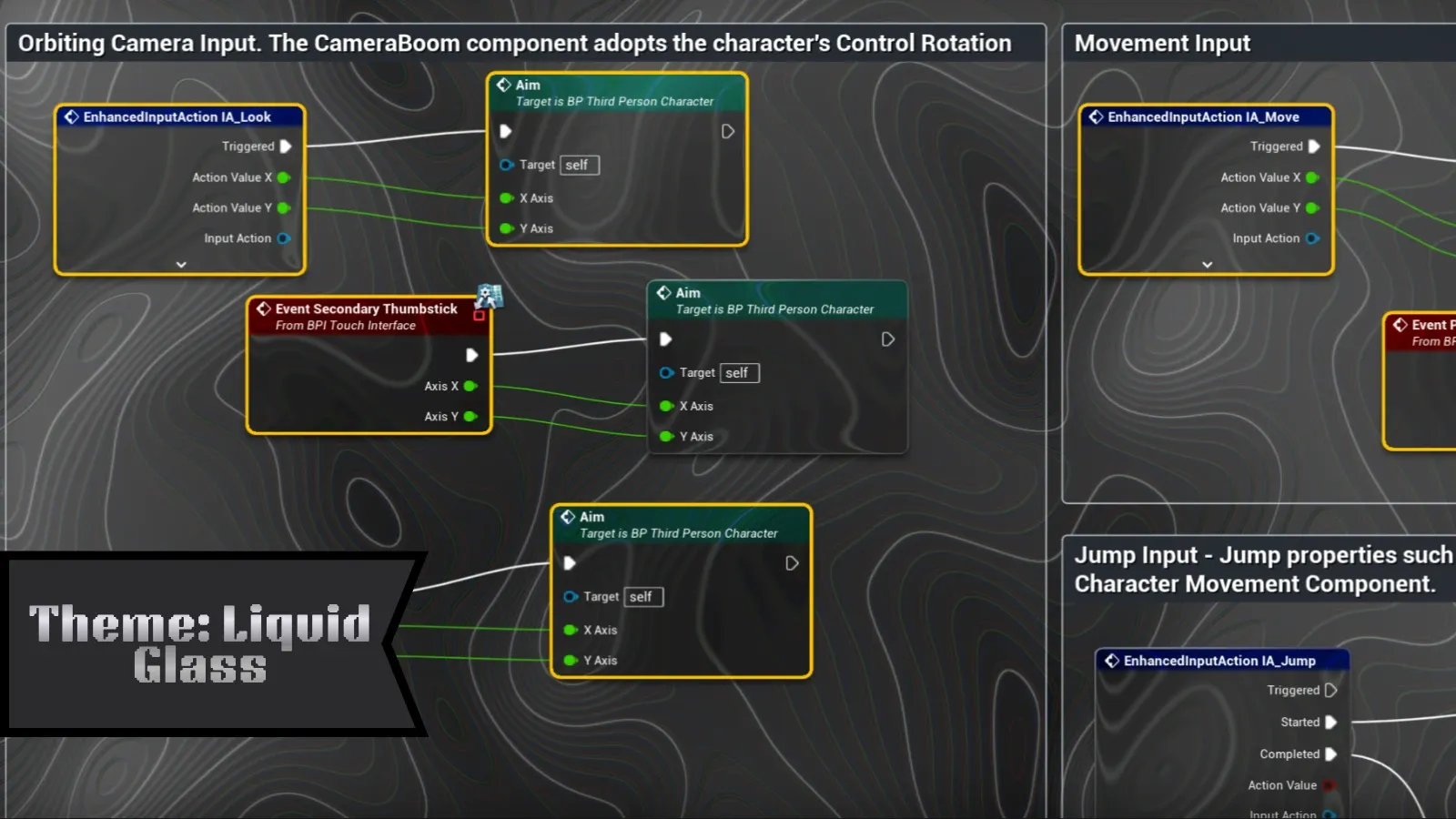
Glass nodes with rounded “bubble” shapes and coloured rims, over a contour-line backdrop. The light on each node follows your mouse cursor.
- Routing: Subway
- Best for: a clean, modern look
Command
Section titled “Command”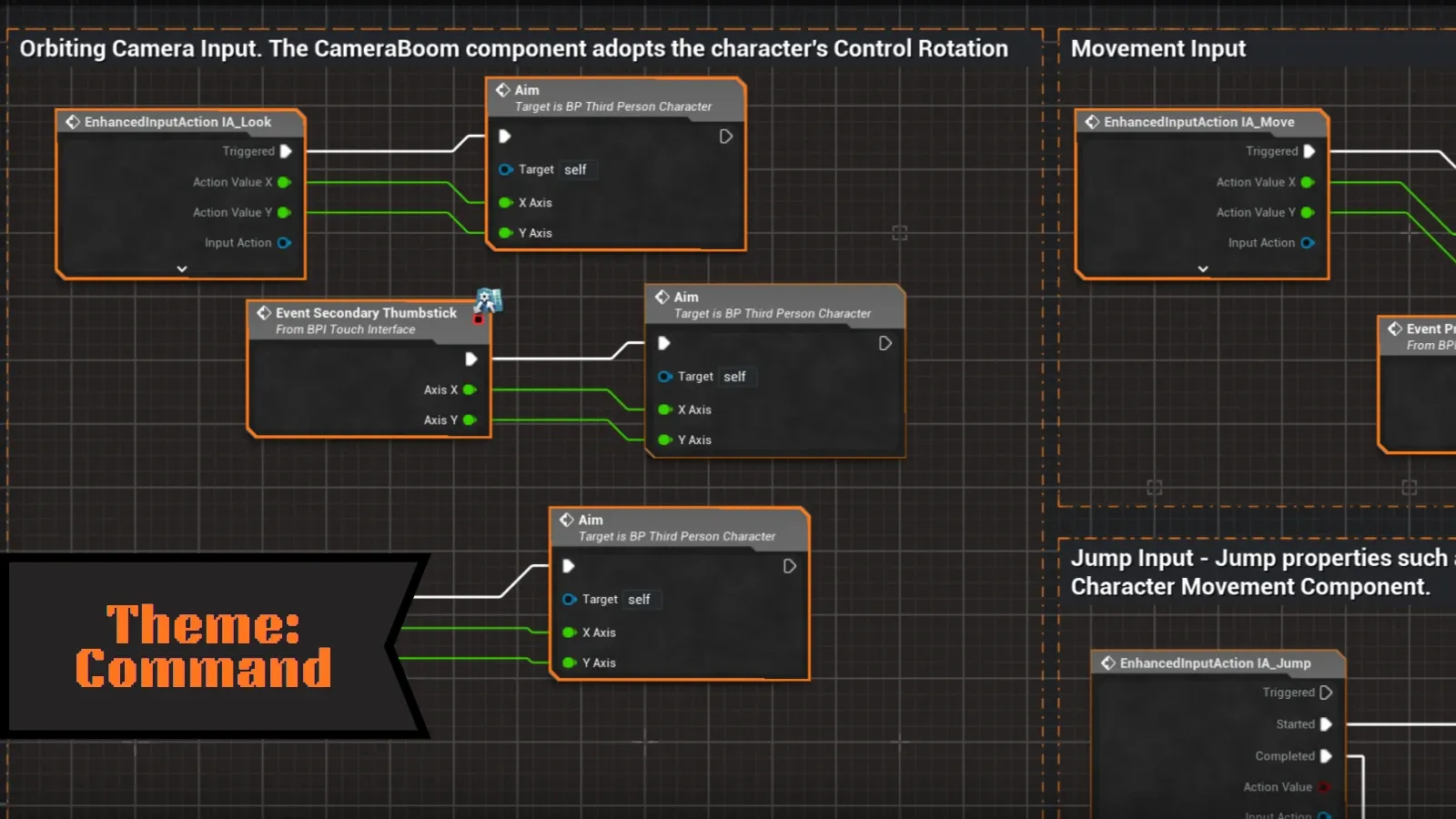
A precise, engineering-style look: graphite nodes framed in signal orange, on a technical drafting grid that stays readable as you zoom out. Comment boxes become dashed drafting lines with corner marks.
- Routing: Subway
- Default theme: Command is the theme new projects start on.
- Best for: large, busy graphs where readability comes first
Aetherial
Section titled “Aetherial”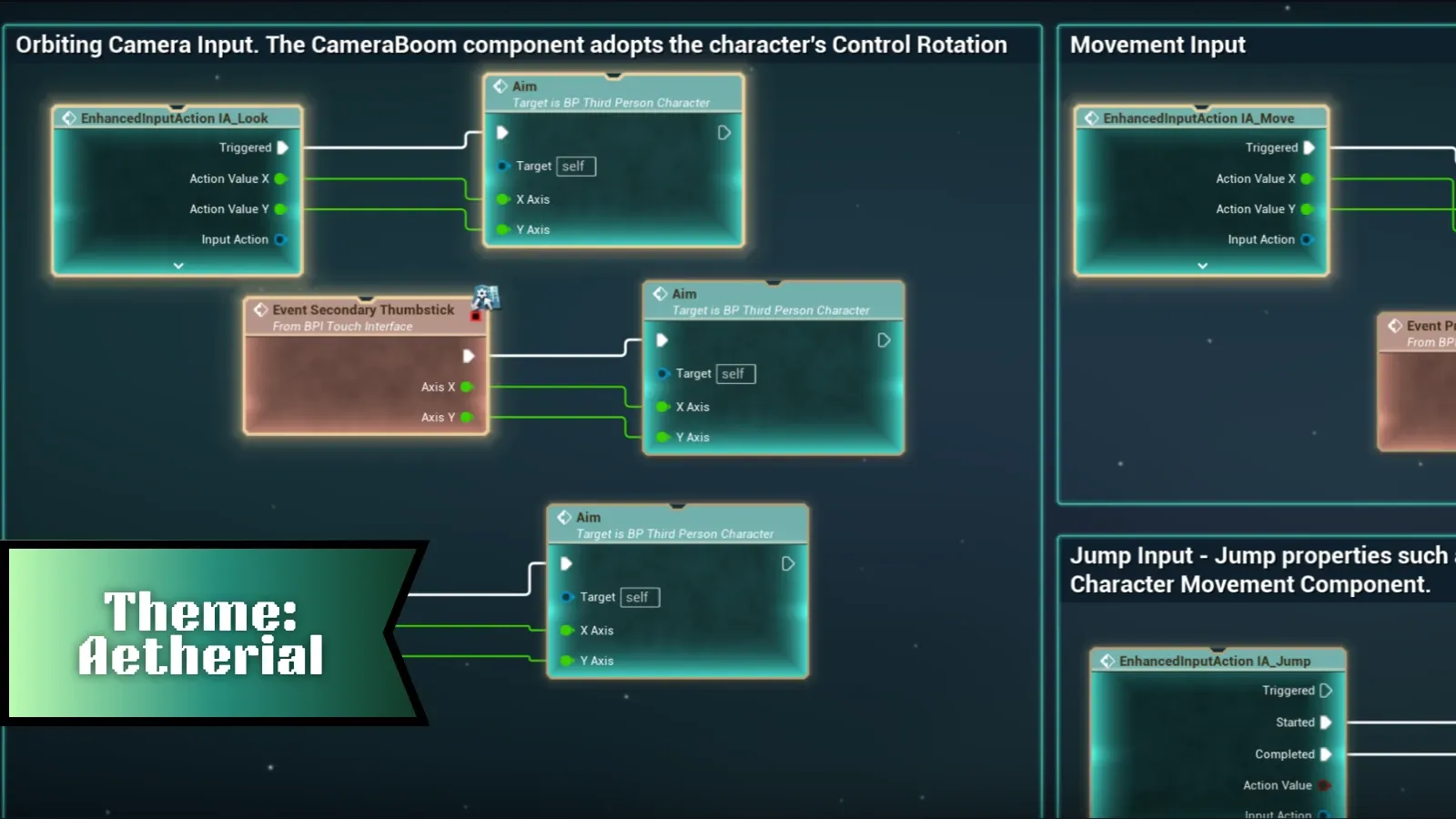
Deep space. Nodes glow softly in teal over an animated starfield backdrop.
- Routing: Manhattan in Blueprints, Subway in materials
- Best for: a calm, atmospheric look
Atelier
Section titled “Atelier”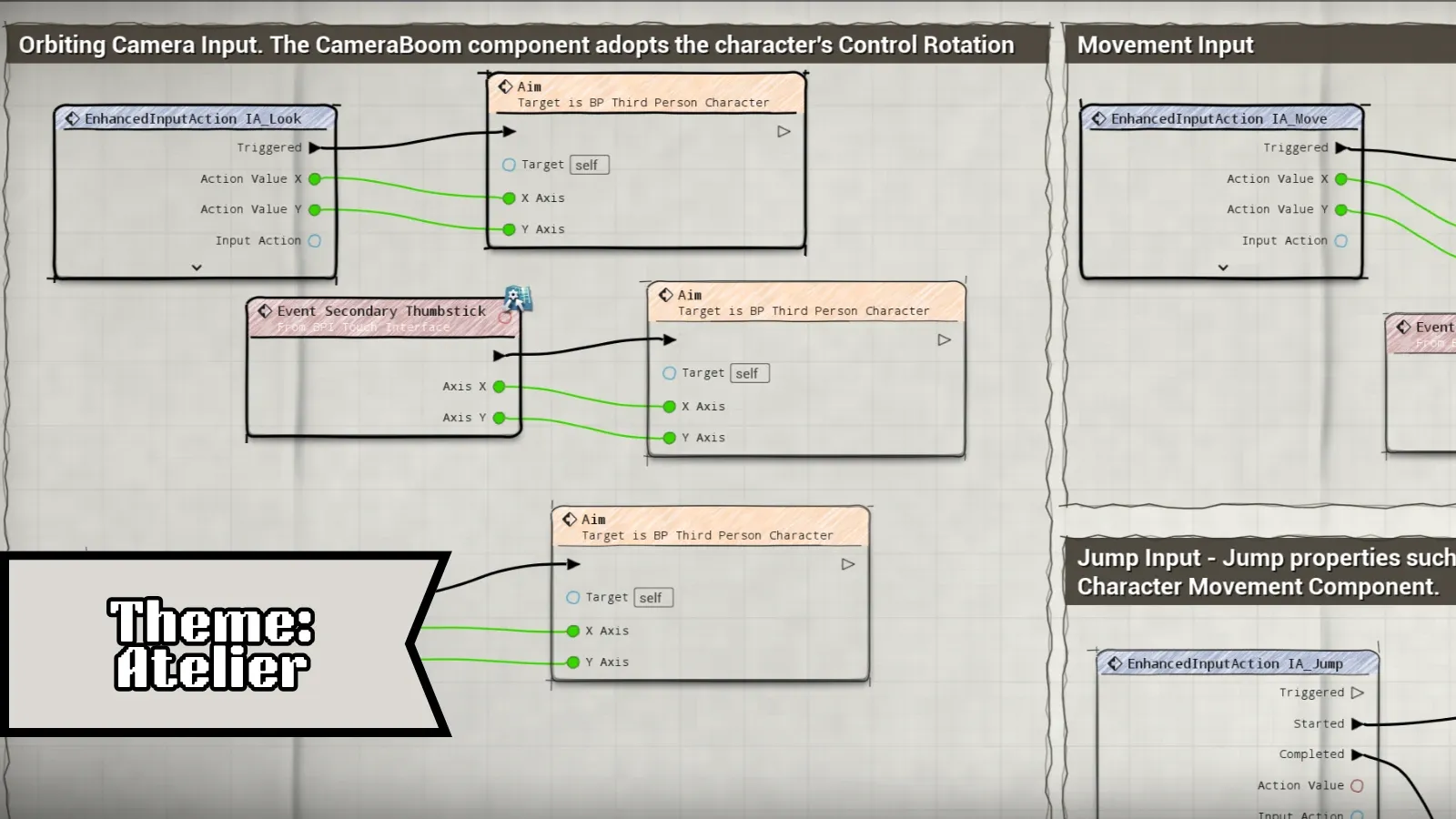
Hand-drawn ink on paper. Every node border has its own organic pen wobble, and wires are sketched from pin to pin on a paper-grain backdrop.
- Routing: Sketch
- Best for: tutorials, presentations and documentation screenshots
Midnight
Section titled “Midnight”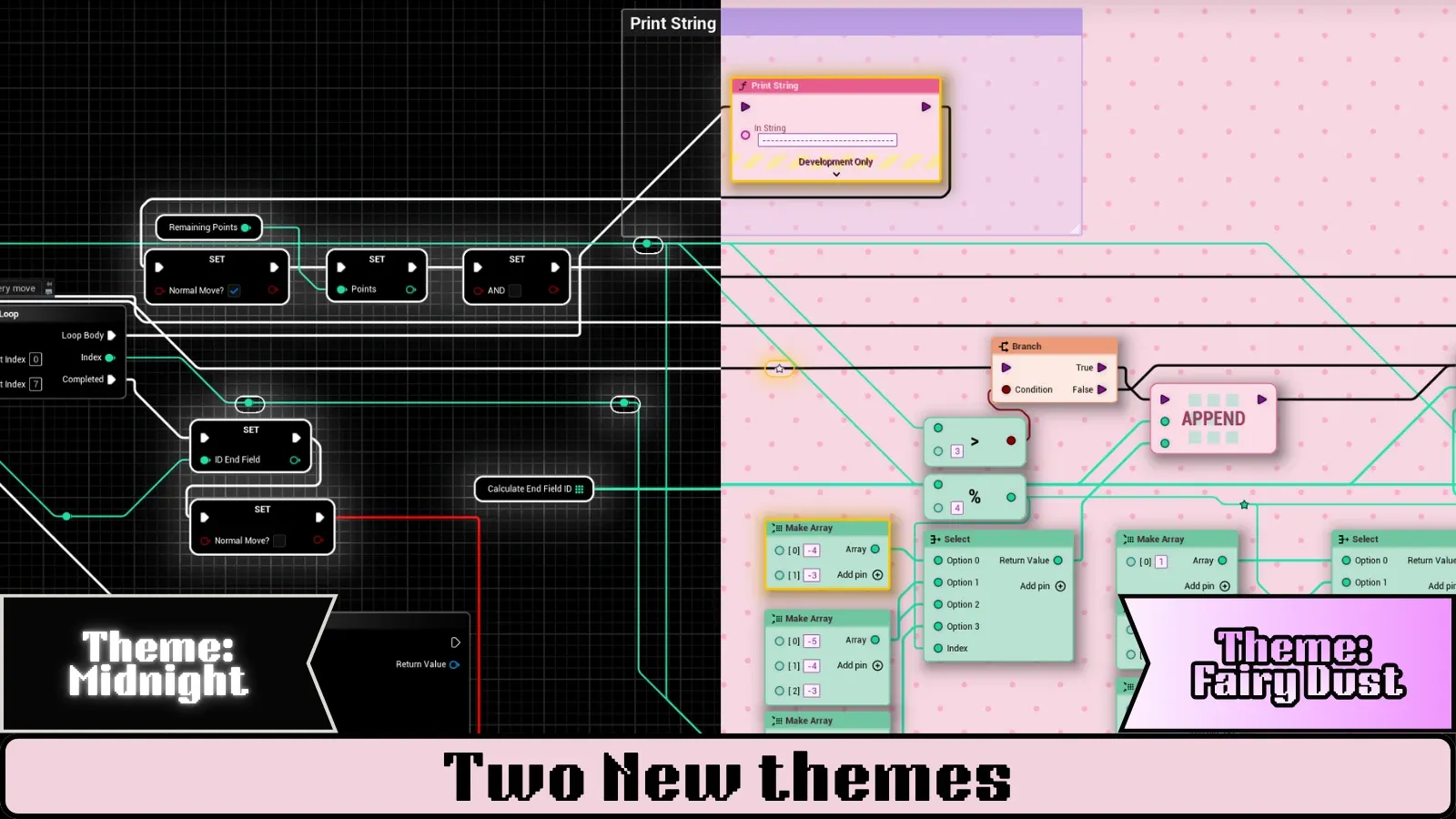
Flat black, built on Unreal’s own node shapes rather than a custom silhouette, so nothing about the layout feels unfamiliar. Bodies are black, titles are dark grey and fade along their length, and borders are thin and grey. Event nodes keep a red title so they still stand out. The backdrop is a quiet grain with no animation.
- Routing: Subway
- Best for: long sessions, and anyone who wants Unreal with the glare turned down
Fairy Dust
Section titled “Fairy Dust”Pastel nodes on a polka-dot backdrop, with pin icons drawn as bubbles, arrows, hearts and stars. The lightest theme in the set, and the only pale one.
- Routing: Subway
- Best for: a soft, friendly look, and a change from dark editors
Custom
Section titled “Custom”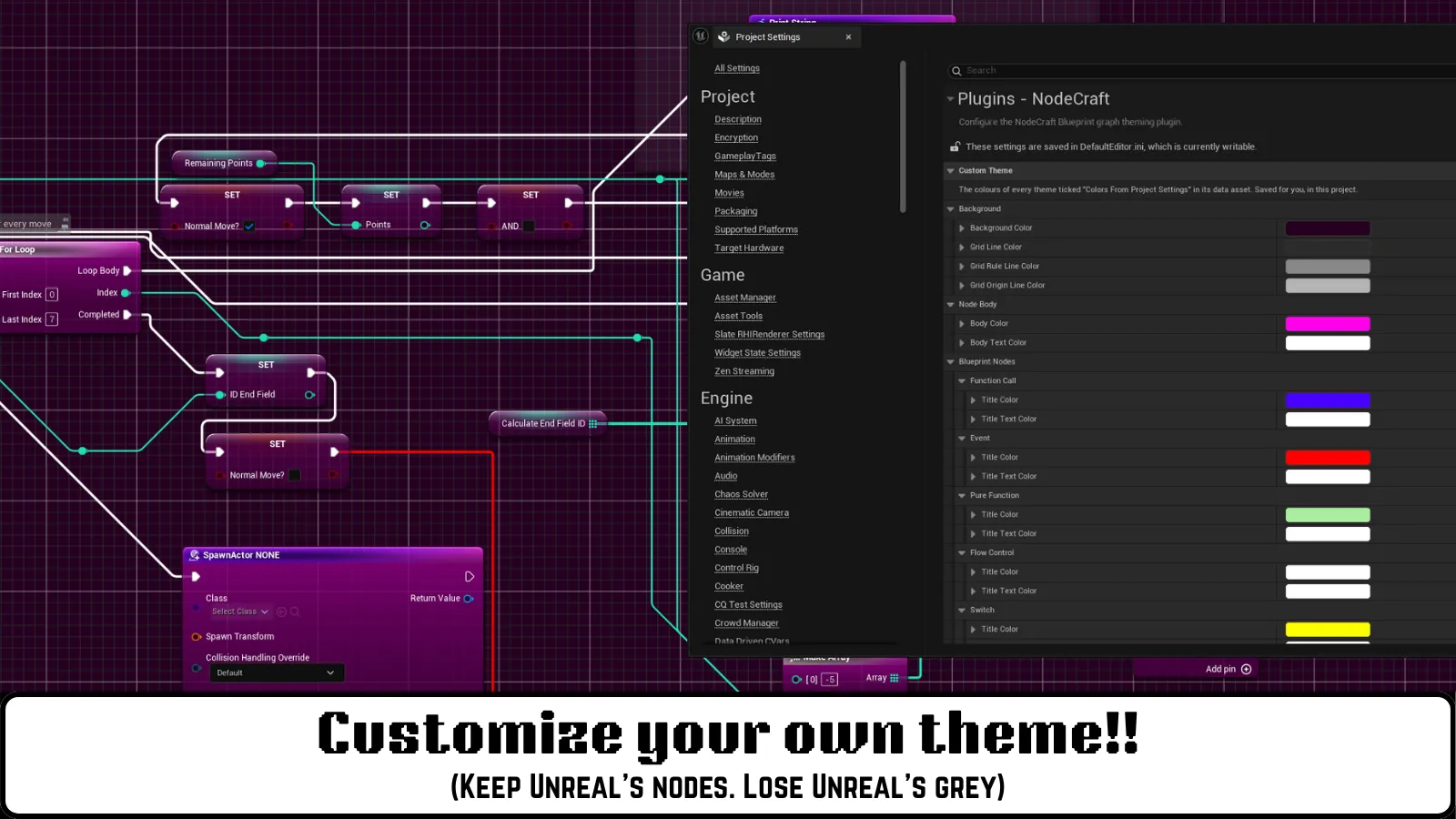
Keeps Unreal’s own node art and changes only the colours. Nothing new to learn: the nodes, gloss and shadows are the ones Unreal draws, recoloured to your palette.
Set the colours in Project Settings → Plugins → NodeCraft → Custom Theme: a title and title text colour for each node type, the body and body text colour, and four grid colours. Reset to Unreal puts everything back.
Your colours are saved for you, per project, not inside the plugin — so an update never overwrites them, and nothing changes for anyone else on your team unless they set their own.
- Routing: Default (Unreal’s splines)
- Best for: keeping Unreal’s look while making your graphs yours
UE_Default
Section titled “UE_Default”Turns NodeCraft’s styling off and shows Unreal’s standard graph look, while keeping the plugin installed. Useful for comparing, or when you want the stock look for a while.
Comment boxes
Section titled “Comment boxes”Every theme also styles comment boxes and the small comment bubbles on nodes: Command uses a drafting chain line with corner ticks, Atelier a hand-drawn double stroke, Aetherial a soft glow, Liquid Glass a frosted edge, and Neon a cyan frame.
Themes only colour comments that still use the default comment colour. If you’ve given a comment its own colour, NodeCraft keeps it.
Performance
Section titled “Performance”NodeCraft is editor-only: it never compiles into your packaged game. While you drag nodes around, the plugin costs roughly 1 ms of CPU per frame, and wire routing is under 0.2 ms of that, on every theme.
What differs between themes is GPU work for the backdrop. Measured on a 40-node Blueprint at 1080p, Neon’s fluid simulation adds about 12.8 ms of render-thread time and Fairy Dust’s backdrop about 5.8 ms. Midnight, Command, Atelier, Aetherial and Custom add effectively none.
If the editor feels slow on a lower-end machine, switch to one of those.
Want to change a theme?
Section titled “Want to change a theme?”Every colour, material, pin icon, font and shape comes from a theme asset you can edit. See Customizing themes.