Every NodeCraft release, newest first. Updates arrive through your Fab library in the Epic Games Launcher. Found a problem or have a request? Tell us on Discord.
Two Halloween themes, and the rest of the Unreal Editor can now take colours that match your graph theme.
NewNew theme, Halloween: dark glass nodes with glowing coloured borders on a grid scattered with jack-o'-lanterns, and orange exec wires.
NewNew theme, Witching Hour: a dark violet room with mist, bats, spiders on threads and eyes in the dark. Nodes are notched plaques with a cobweb across two corners.
NewMatch Editor Colors: turn it on in the NodeCraft toolbar menu and the whole Unreal Editor takes colours that go with the theme of the graph you used last, Blueprint or Material. It is off by default. Turning it off, closing the editor or disabling NodeCraft gives your own editor theme back.
NewEach theme's editor colours are editable in its Editor section in the Blueprint theme asset: every colour of Unreal's own editor theme, one by one, with a button to fill the set from a panel colour and a warning when a colour would make Unreal's white labels hard to read.
NewWire Glow has a size and a strength, from a faint halo round a crisp wire to a wide neon glow (Routing → Wire Glow Size, Wire Glow Strength).
NewTheme Order: drag the themes into the order you want in the theme asset. The toolbar menus follow.
ImprovedThe few Blueprint nodes Unreal draws itself are now themed too, with their dropdowns and pickers intact: Make Struct, Set Members in Struct, Create Event, Create Dynamic Material Instance and Create Widget.
ImprovedSmoother inner edges on node borders, most visible on rounded corners and thick selection borders.
FixMaterial graphs: themes with custom pin icons (Fairy Dust, Atelier, Neon) no longer draw a pin, or its shadow, beside a parameter's Default Value.
NodeCraft now ships seven hand-built themes: Neon, Liquid Glass, Command, Aetherial, Atelier, Midnight and Fairy Dust, plus UE_Default and a Custom theme you colour yourself. This update also fixes Blueprints saved with 1.0; please read the note below.
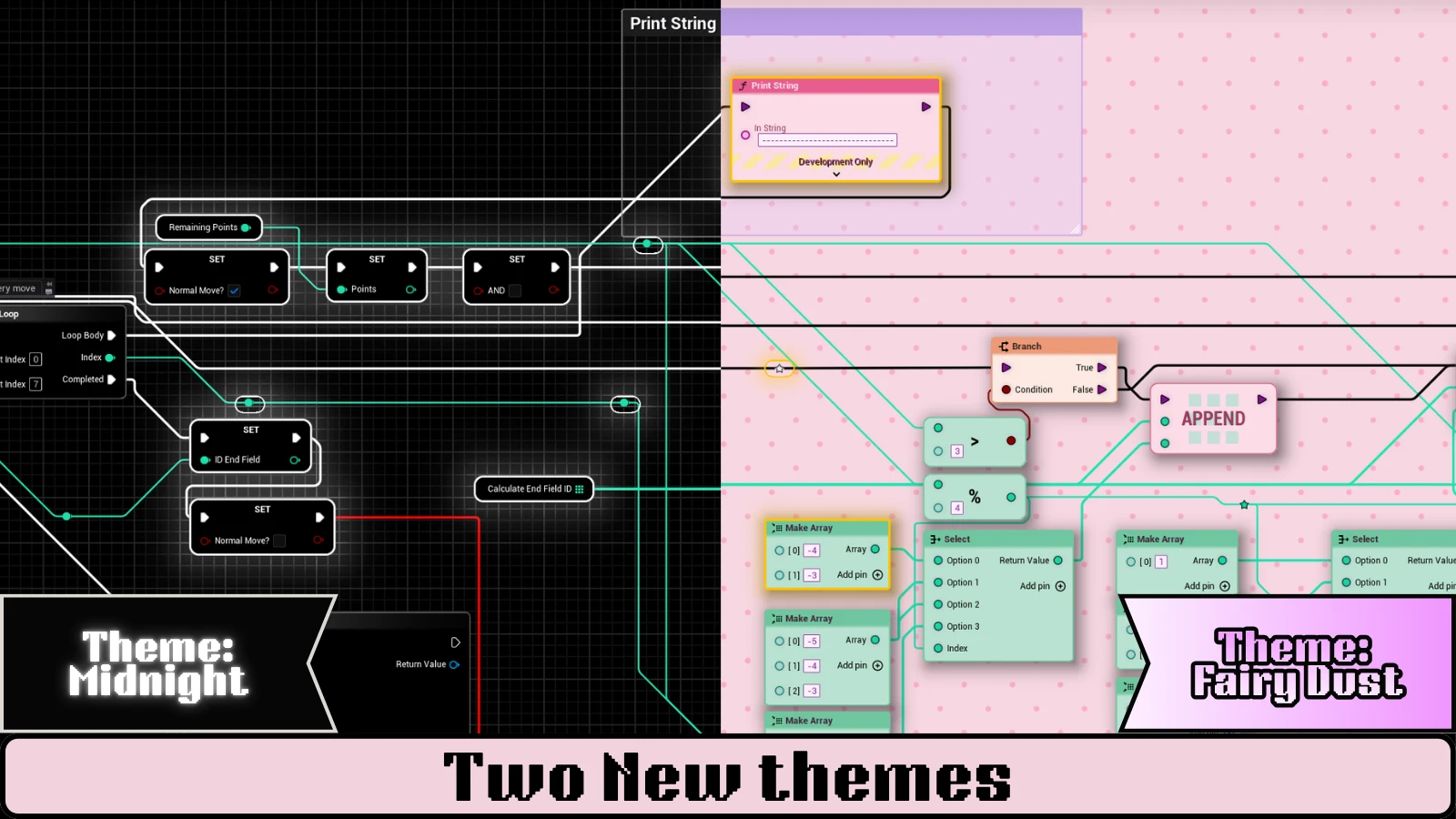
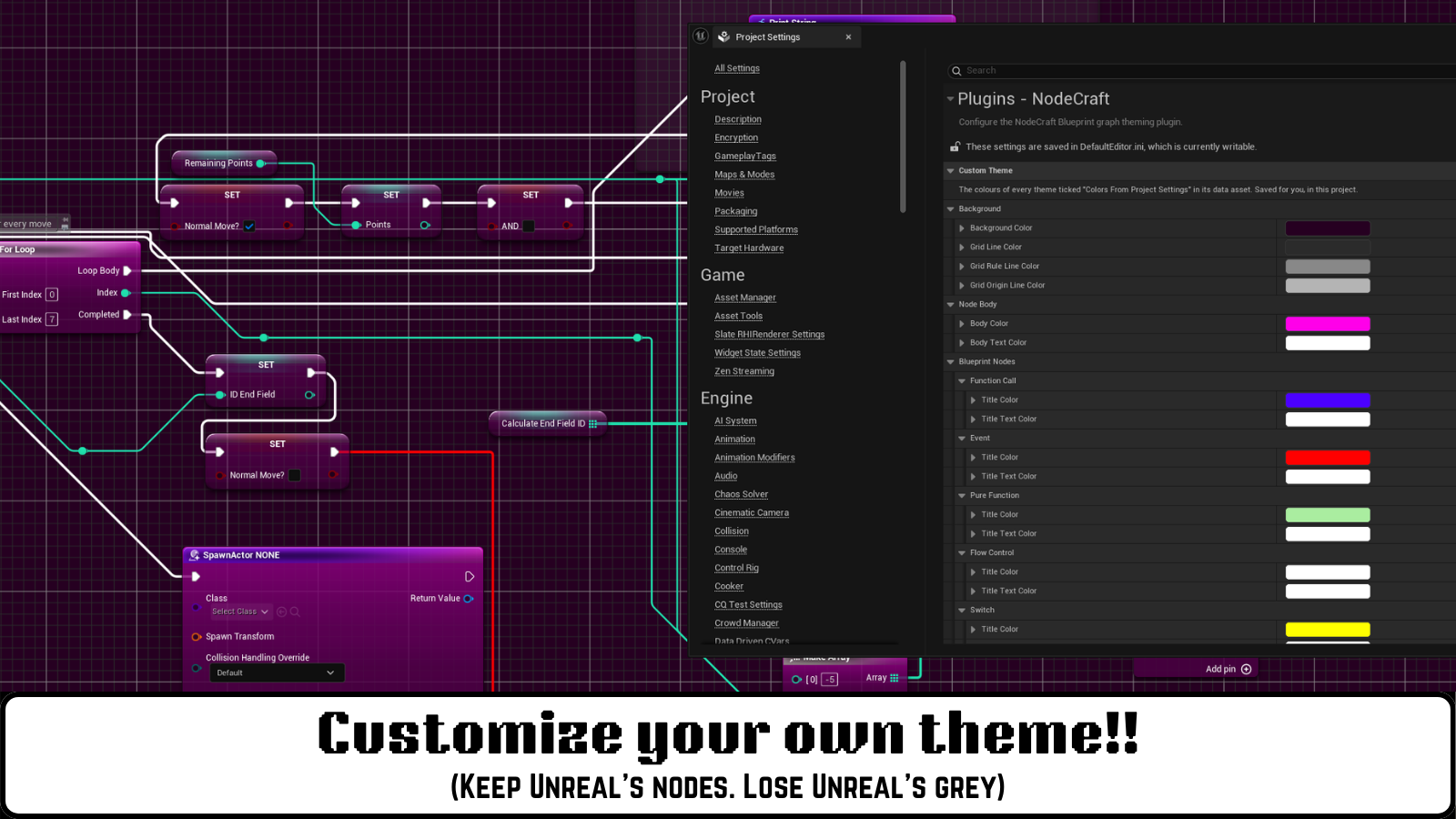
Two new themes: Midnight and Fairy Dust.The Custom theme recolours Unreal's own nodes from Project Settings.
Critical fix: Blueprints saved with NodeCraft 1.0 could crash projects without NodeCraft.
NodeCraft 1.0 stored a reference to one of its own classes inside every Blueprint graph it displayed. A Blueprint or level saved while 1.0 was installed then crashed the editor in any project without NodeCraft. This version no longer changes your Blueprints in any way.
What you need to do: assets saved with 1.0 keep that reference until they are saved again with this version. After updating, right-click your Content folder (or the folders holding your Blueprints and levels) and choose Resave All. Do this before you move those assets to another project or uninstall NodeCraft.
If a project without NodeCraft already crashes on one of them: add these lines to that project’s Config/DefaultEngine.ini, open the project, save the affected Blueprints, then remove the lines:
FixBlueprints saved with NodeCraft 1.0 could crash projects without NodeCraft. See the note above for what to do.
FixThe Default wire style now shows Unreal's own wires in Blueprint graphs.
NewNew theme, Midnight: a flat black look built on Unreal's own node shapes, with fading grey titles.
NewNew theme, Fairy Dust: pastel pink nodes on a polka-dot backdrop, with bubble, arrow and star pins.
NewCustom theme: colour Unreal's own node art yourself in Project Settings → Plugins → NodeCraft → Custom Theme. Set the title and title text colour for each node type, the body and body text colour, and the grid. Your colours are saved for you, not in the plugin, and Reset to Unreal puts them back. The NodeCraft toolbar menu opens it with Edit Custom Theme Colors.
NewPins stay sharp at every zoom: a theme's pin icons can now be SVG files, drawn at their exact size on screen (Pin Style → SVG slots).
NewPin shadows: a soft shadow under the pin icons keeps light pins readable on light nodes (Pin Style → Shadow).
NewExec Pin Color tints only the exec pins, so data pins keep their type colours.
NewThemes can colour comment boxes (title, title text, body, border and bubble) and the inputs on nodes: checkboxes, dropdowns and value boxes.
NewUnreal's own look as theme options: Unreal Classic Nodes keeps Unreal's node art and recolours it, and any theme can use the Unreal body shape, a title fade and a soft node shadow.
NewSelected reroute nodes are highlighted in the theme's selection colour instead of Unreal's fixed orange.
ImprovedManhattan and Subway wires use a new router. Routes depend only on the graph, so wires no longer shift or flicker while you zoom and pan.
ImprovedSmoother node edges and steadier thin borders at every zoom level.
FixSketch routing no longer draws extra wires between pins.
FixPin labels keep Unreal's states: orphaned pins stay red, pins on disabled nodes fade, and inactive Material inputs dim.
FixUE 5.7 and 5.8: renaming a comment right after creating it works, the Neon backdrop no longer rebuilds itself while the editor sits idle, and traced wires keep their width while debugging.
NewFive hand-built themes: Neon, Liquid Glass, Command, Aetherial and Atelier, plus UE_Default for Unreal's standard look.
NewWire routing: Unreal's native splines, Manhattan (90°) and Subway (45° and 90°). Manhattan and Subway find their way around nodes.
NewWire spacing fans wires that share a path into parallel lanes, so every wire stays visible.
NewThemed node shapes, pin icons, comment boxes and comment bubbles, in both Blueprint and Material graphs.
NewAnimated backdrops, including a live fluid simulation behind Neon.
NewA NodeCraft toolbar dropdown in the Blueprint, Animation Blueprint, Widget Blueprint and Material editors. Blueprint and Material graphs keep separate themes.
NewTheme, routing and wire spacing choices are remembered per project, with no save prompts.
NewEvery theme is editable data: colours, materials, pin icons, fonts and node shapes live in two theme assets.